News
Say hello to the new teacher environment



Share with colleagues
Download the full Case Study
Take an in-depth look at how educators have used Cadmus to better deliver assessments.
Creating and managing assessments shouldn't be hard, and it definitely shouldn't be boring. We've spent the last few months working on the Cadmus Teacher Environment, and we're excited to share some brand new changes with you today. They're designed to make your assessment experience a little bit nicer and a whole lot simpler. And the best part? It's all here in time for your pre-semester setup. Let's take a look at what's new:
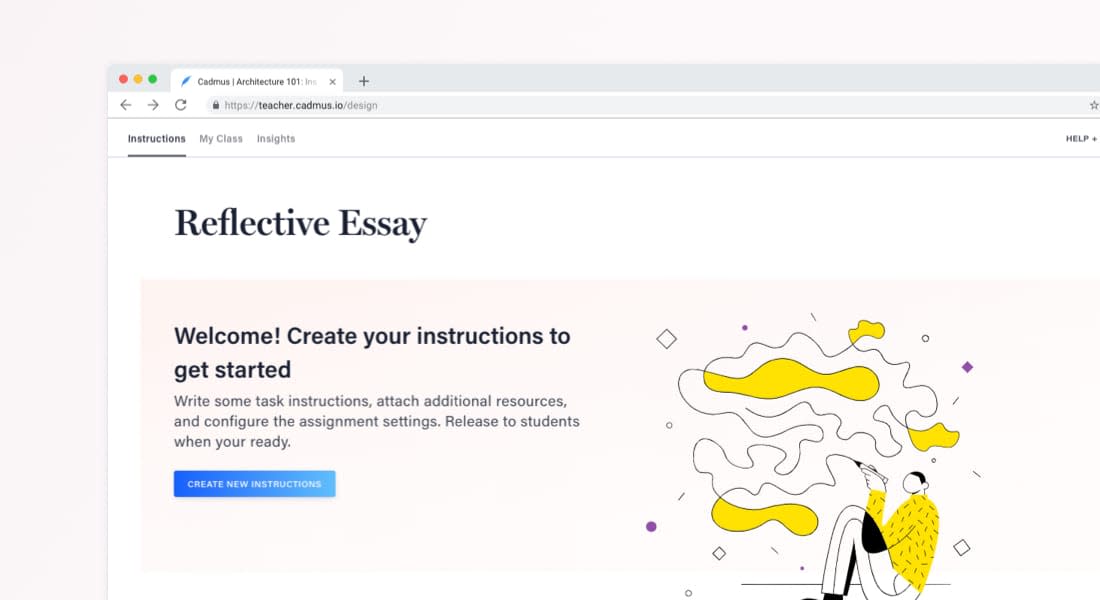
It's easier than ever to get started
We've updated the look and feel of the Teacher Environment, making things clearer and more accessible. With a smoother workflow and plenty of guidance along the way, you'll have your next assignment up and running in no time.
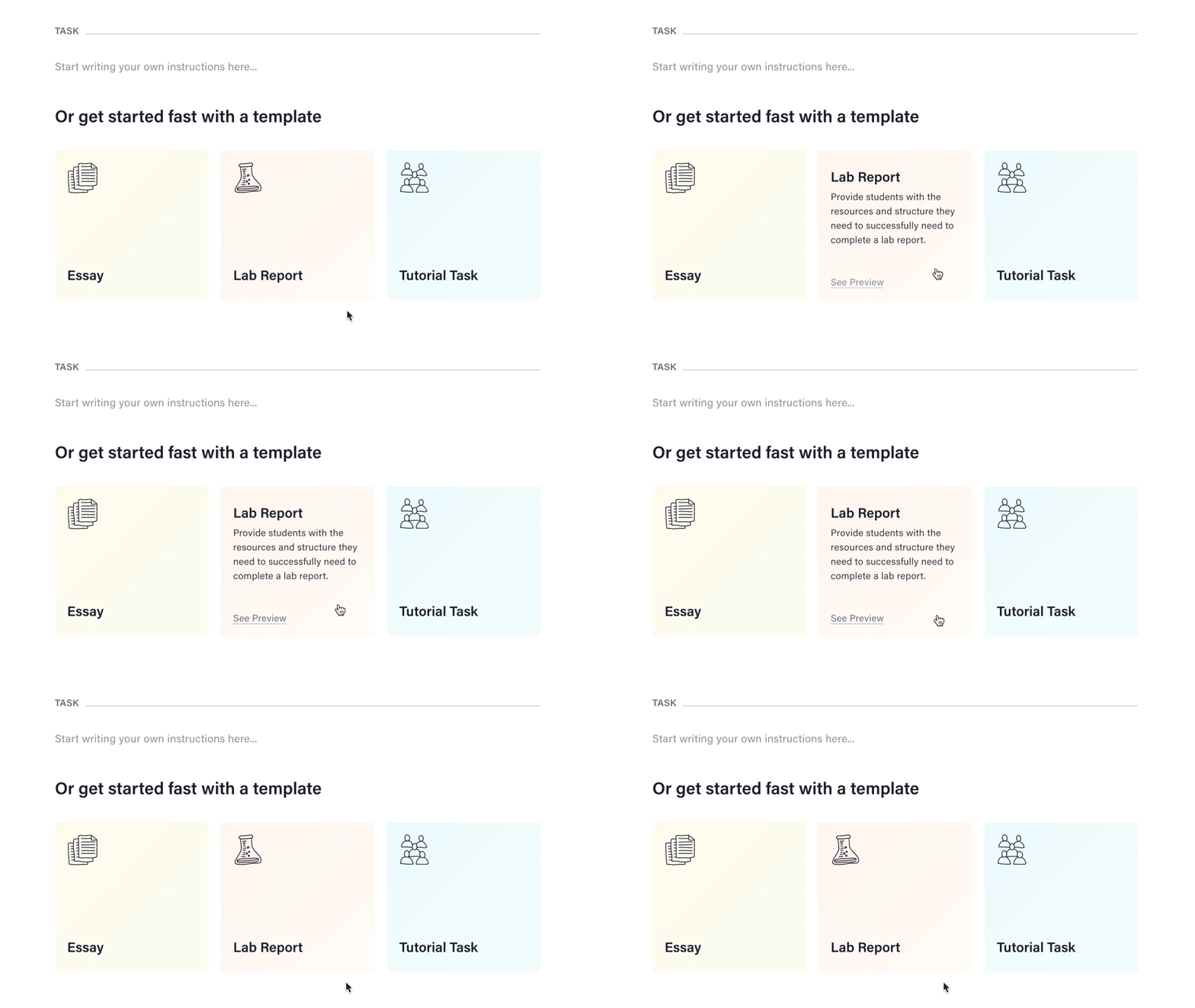
Templates in the app
You can now get started with a template as you write your instructions. With the click of a button, you'll have a template ready to go — no more copying and pasting! It couldn't be easier to create learning centred instructions from the get-go. Learn more about Cadmus Templates.
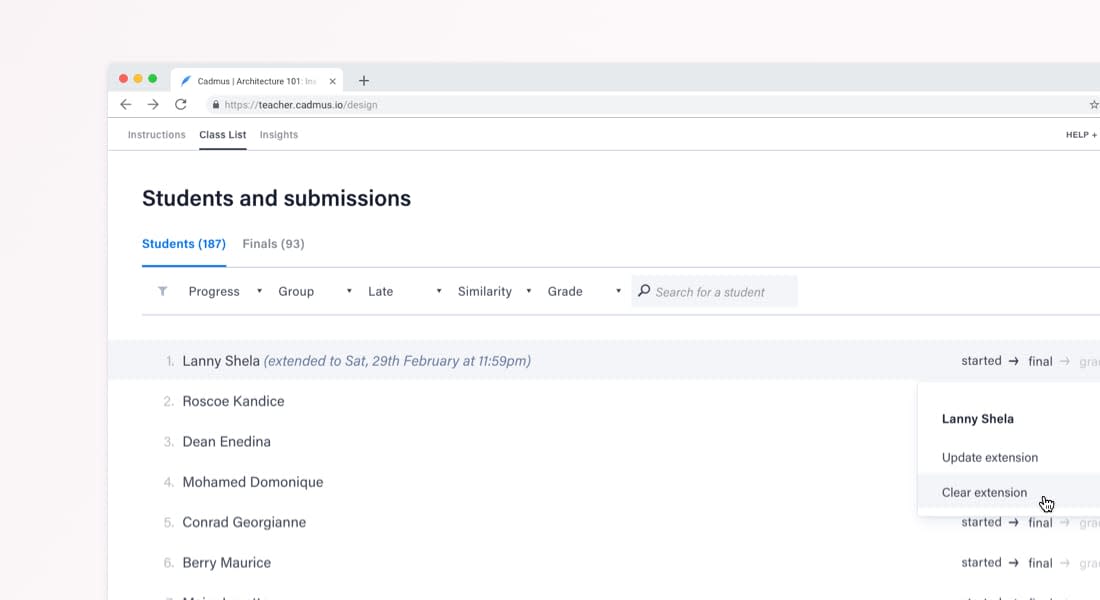
Individual student extensions
We understand the challenges of managing special circumstances for students, which is why we've made it possible for you to grant individual student extensions within Cadmus. Learn more about how extensions work.
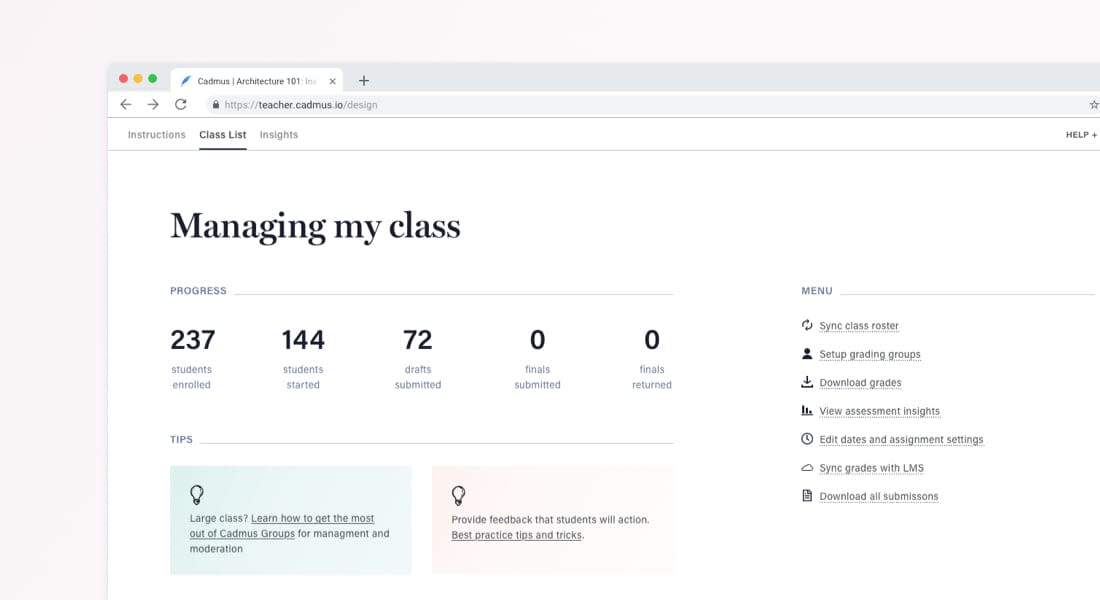
Better class management tools
We've improved how you manage your class, with new features in the My Class page. Sync your LMS class list with Cadmus in seconds, quickly set up groups for marking, and easily edit assignment settings. And thanks to some valuable feedback from teachers, you can now download grades and submissions straight from Cadmus too.
New onboarding videos
You'll find brand new video guides in the Get Started section of our website. Our teacher series takes you through all there is to know about creating and managing assignments in Cadmus. It's the perfect place to start if you're using Cadmus for the first time (or if you need a refresher after the holidays). We've got a series for students as well, which is all you'll need when it's time to introduce your class to Cadmus.
Category
Product
More News
Load more


Product
How we use data at Cadmus
Being online creates new opportunities to understand how learning happens. Discover how Cadmus uses data to support learning, improve assessment design, and build transparency and trust across every stage of the assessment process.
Cadmus
2026-03-31



Academic Integrity
Leadership
Why detection-first integrity strategies are becoming a sunk cost for universities
In this article, Founder & Co-CEO Herk Kailis puts language to a growing tension across institutions: as the market leans further into detection, the response risks becoming more reactive than strategic. Through a commercial lens, he explores how this is beginning to resemble a classic sunk cost trap, and why the stronger long-term play is to design assessments that are harder to game in the first place.
Herk Kailis, Founder & Co-CEO, Cadmus
2026-03-30


Product update
Company
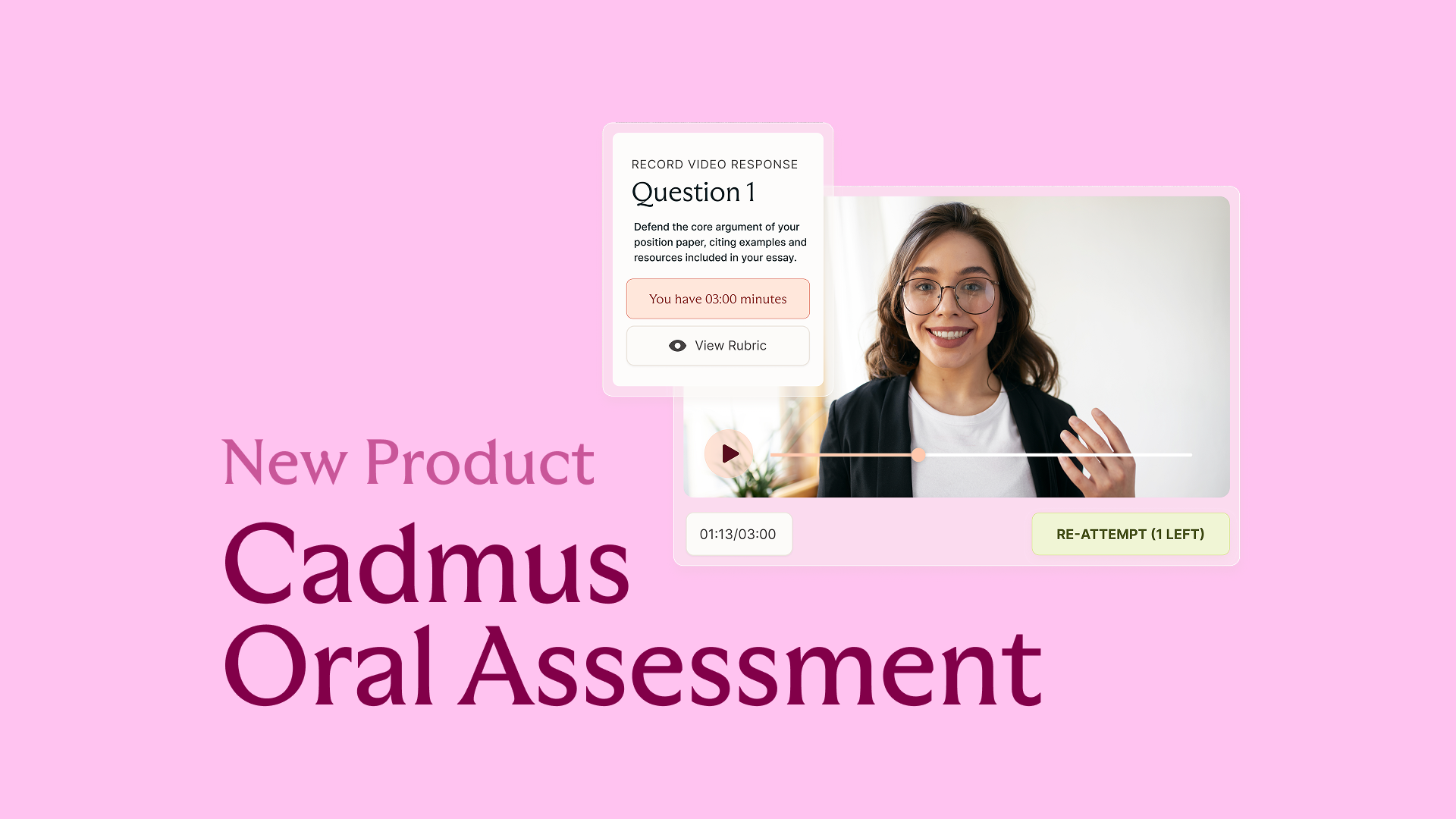
Introducing Cadmus Oral Assessment: Scalable assurance for an AI‑enabled world
Cadmus introduces Oral Assessment: a new approach to strengthening assessment assurance in an AI-enabled world. Starting with scalable, asynchronous vivas, this phased solution embeds targeted oral explanation directly into assessment workflows to provide more credible evidence of student learning.
2026-03-19